
Reading the dashboard
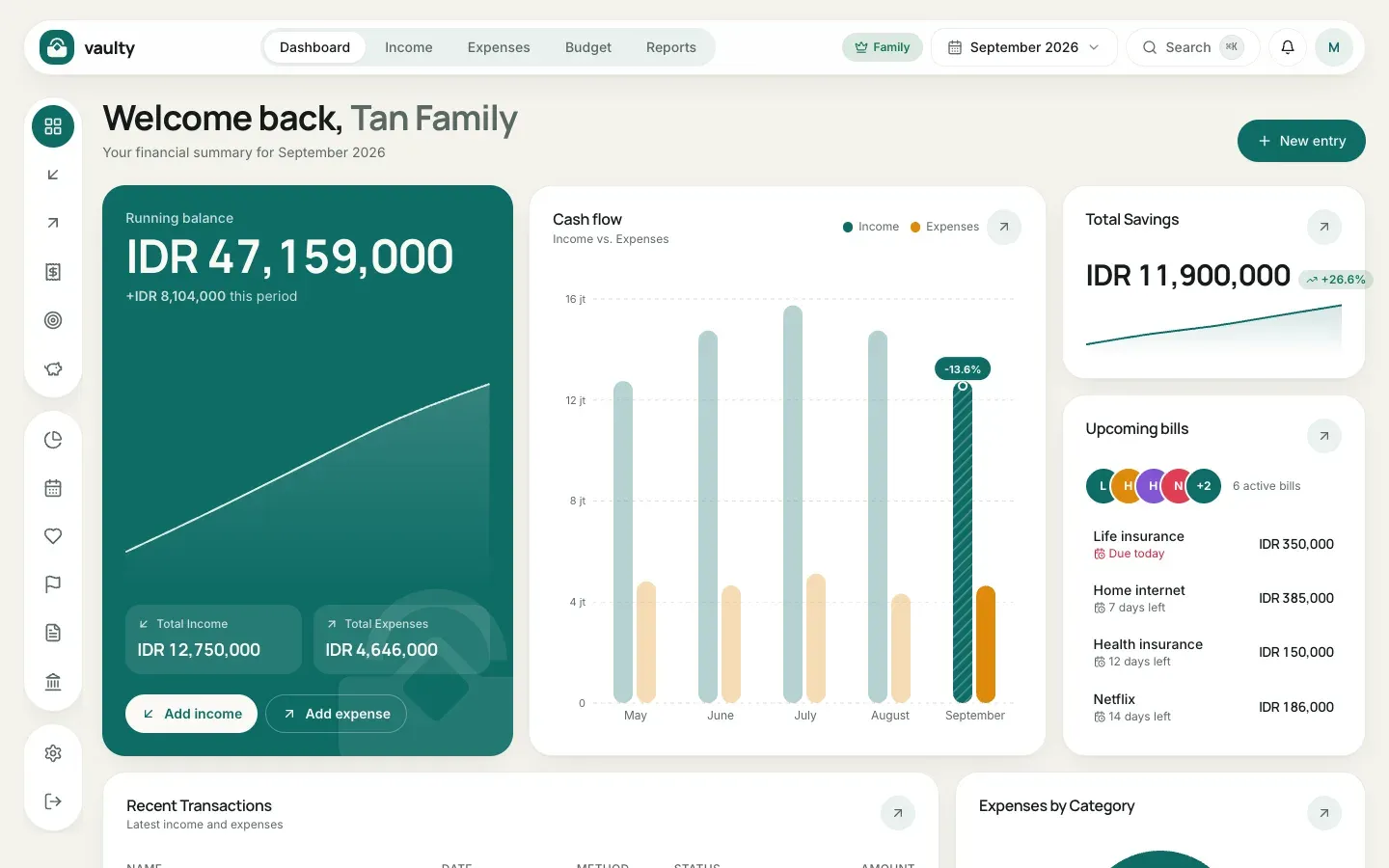
The dashboard is the first page after you sign in. It summarizes your finances for the selected month.
What is on this page
Section titled “What is on this page”- Running balance: income minus expenses for the selected period, with Total Income and Total Expenses.
- Cash flow: income and expense bars per month, to see the trend over recent months.
- Total Savings: the sum of all your savings and how it is growing.
- Upcoming bills: recurring bills about to fall due, nearest first.
- Recent Transactions and Expenses by Category further down.
What you can do
Section titled “What you can do”- Change the period with the month picker at the top (for example “September 2026”). Every card follows that month.
- Record quickly with the New entry button at the top right, or the Add income and Add expense buttons on the balance card.
- Search transactions with the Search box (or press
Ctrl/Cmd+K). - Open the bell to see notifications, such as bills coming due or a budget nearly used up.
- Click your avatar at the top right for the account menu: organization, members, master data, subscription, settings, and Product tour.
The badge next to the month picker (for example Family) shows your plan. Click it to open the subscription page.