
Recurring bills
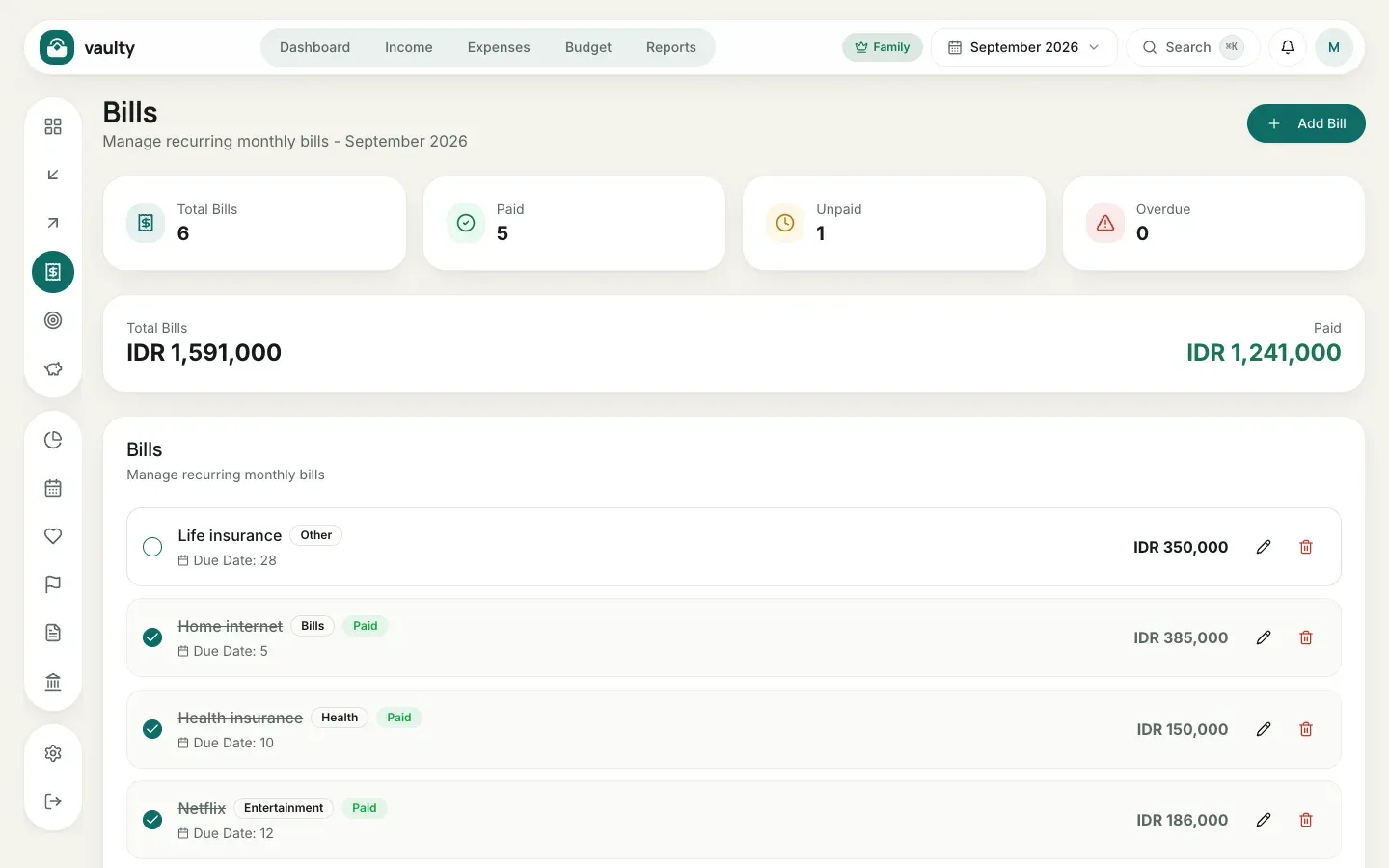
Bills is for regular expenses such as electricity, internet, and subscriptions, so none slip by. Available on the Personal plan and above.
Adding a bill
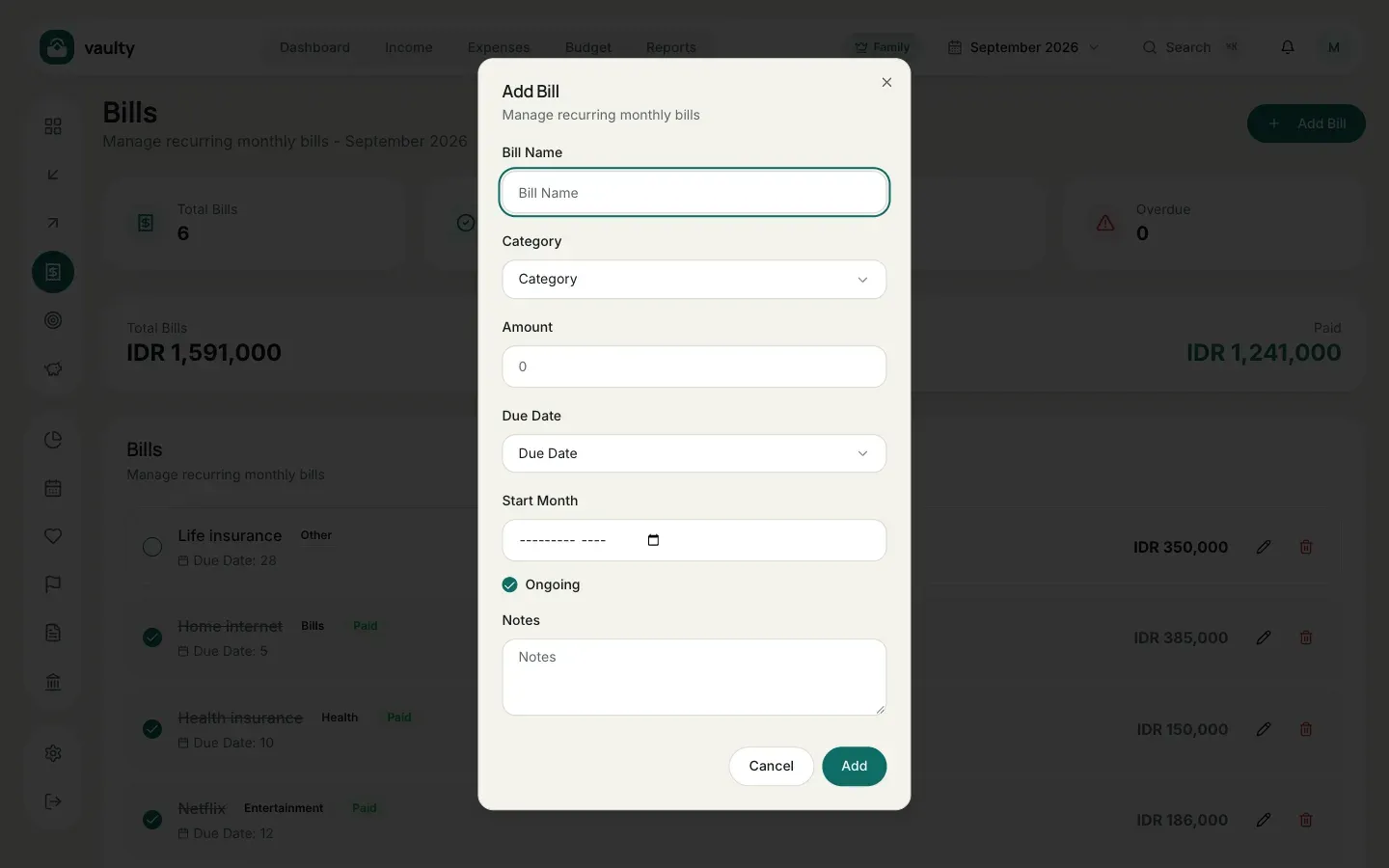
Section titled “Adding a bill”- Open Bills and click Add Bill.
- Fill in Bill Name, Category, and Amount.
- Choose the Due Date (1 to 31) and Start Month.
- Leave Ongoing on for a bill with no end date, or turn it off and set an end month.
- Click Add.
Marking it paid
Section titled “Marking it paid”Click the circle to the left of the bill name. The bill becomes Paid (struck through), and the payment is recorded as an expense for that month.
Reading the summary
Section titled “Reading the summary”The four cards at the top show Total Bills, Paid, Unpaid, and Overdue. A bill past its due date without payment gets a red Overdue label, and bills nearing their due date show up in the Upcoming bills card on the dashboard.