
Planning: net worth, debts, and rules
The Planning menu has five tabs. Debts, rules, and email notifications are on the Personal plan and above.
Net Worth
Section titled “Net Worth”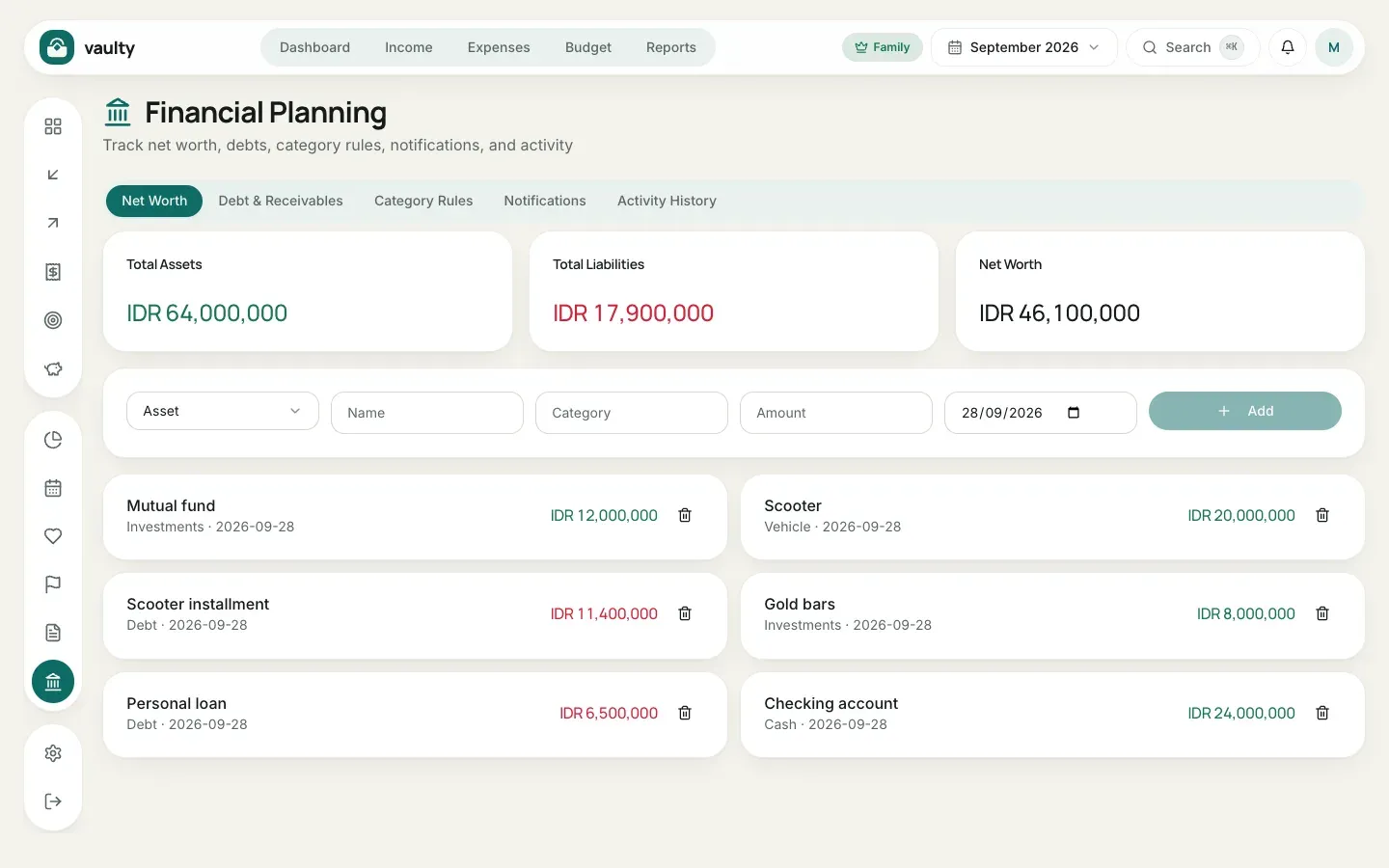
Record assets (bank savings, mutual funds, gold, vehicles) and liabilities (debts). The cards at the top show Total Assets, Total Liabilities, and Net Worth (assets minus liabilities).
- Choose Asset or Liability.
- Fill in Name, Category, Amount, and the value date.
- Click Add. Update the values regularly so the numbers stay right.
Debt & Receivables
Section titled “Debt & Receivables”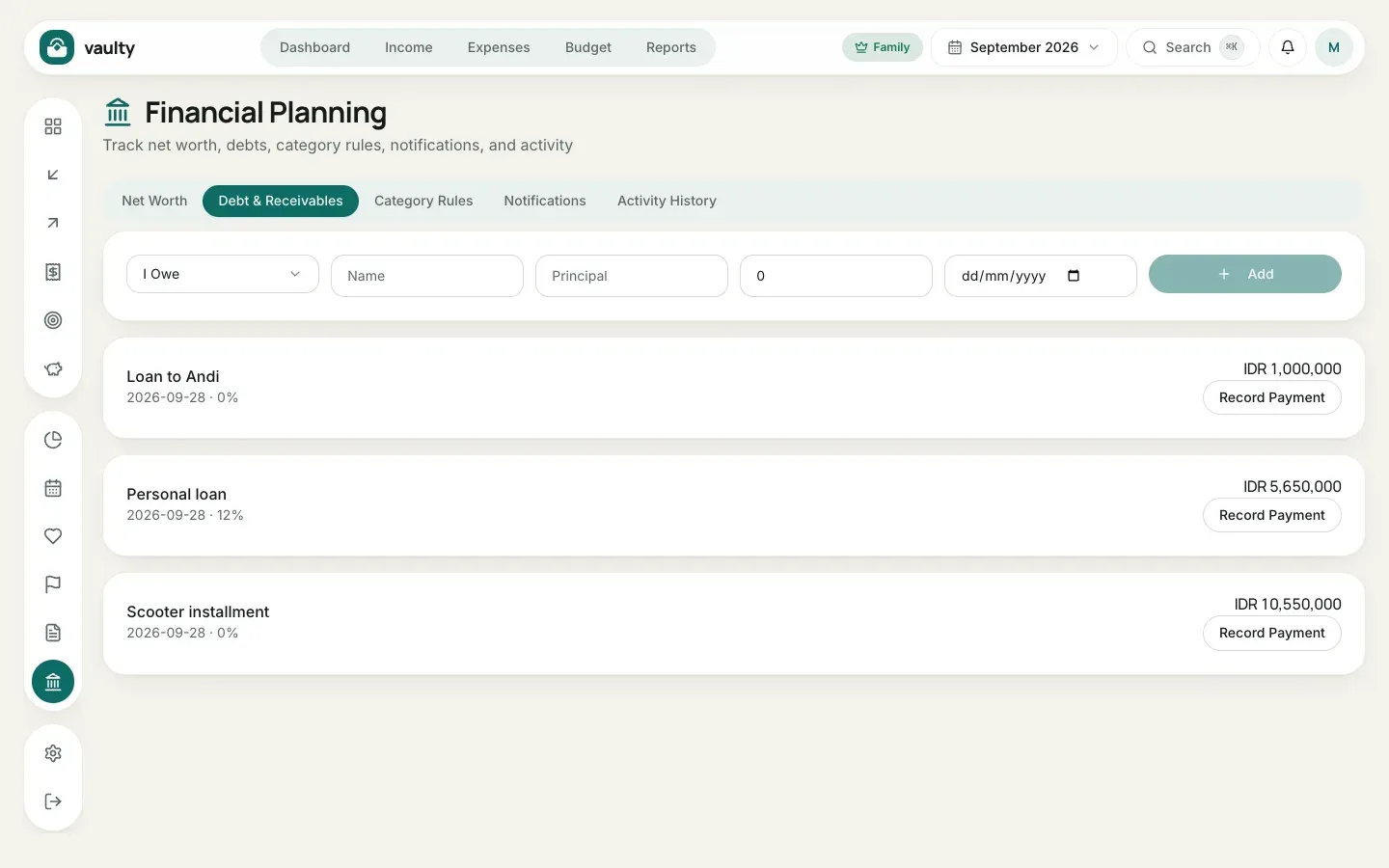
- Choose I Owe (you owe money) or a receivable (someone owes you).
- Fill in Name, Principal (the starting amount), the remaining amount, and the due date.
- Click Add.
- Each time you pay an installment, click Record Payment and enter the amount. The remaining debt goes down automatically.
Category Rules
Section titled “Category Rules”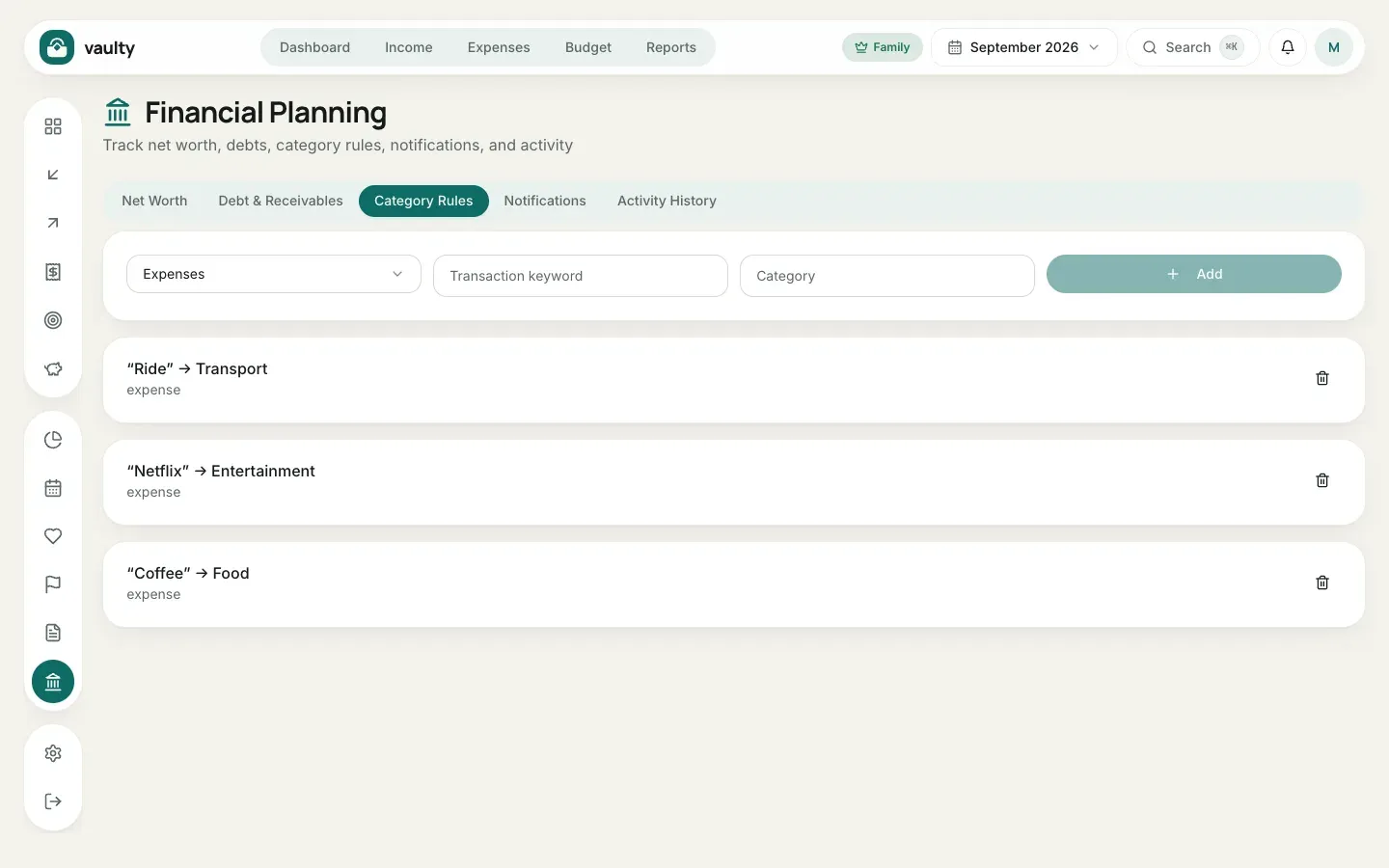
Rules fill in the category automatically from keywords in the description. For example, the word “Ride” always goes to the Transport category. Create rules for transactions that repeat often so recording is faster.
Notifications
Section titled “Notifications”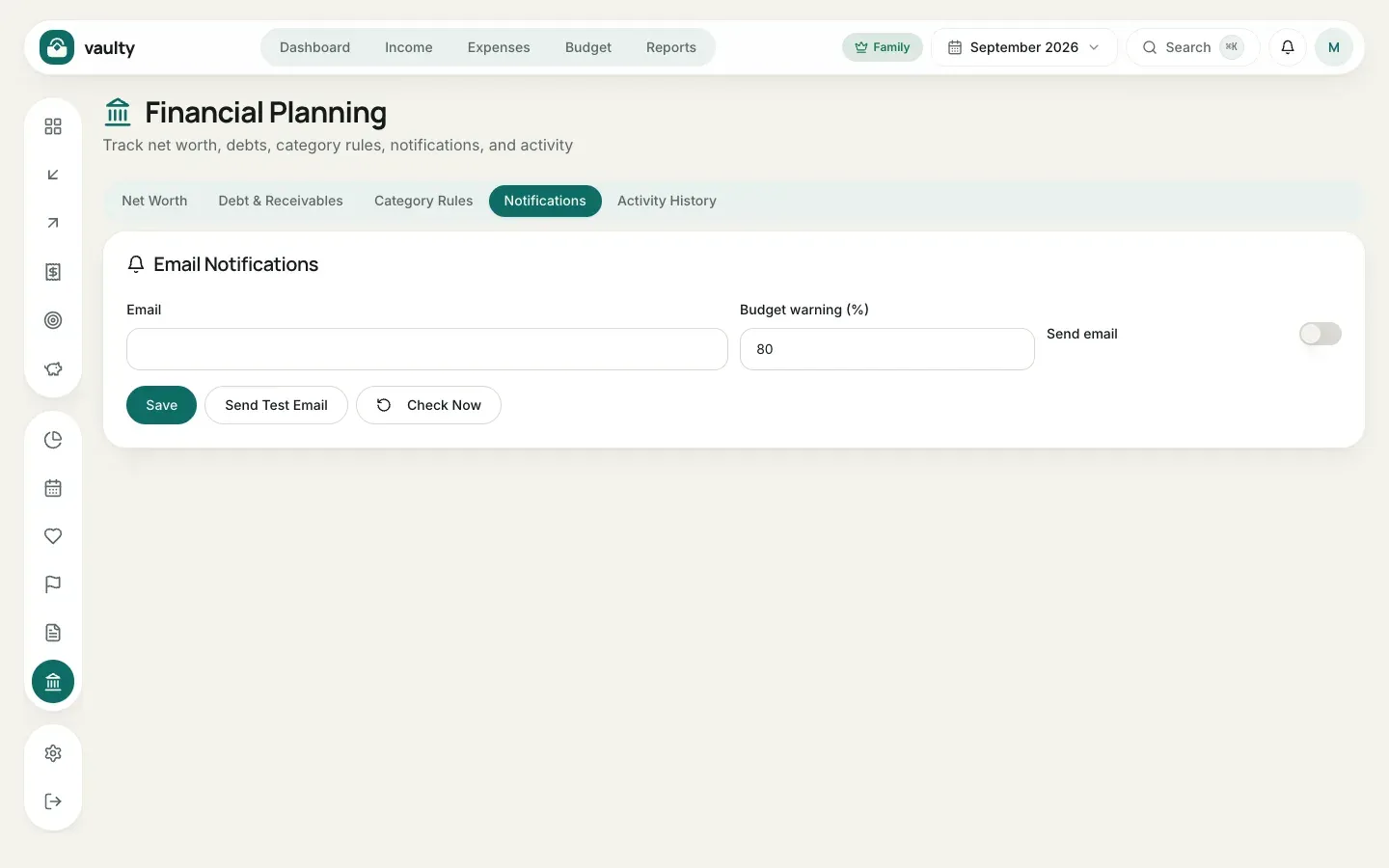
The list of alerts from Vaulty: bills due, budgets nearly used up, debt installments, and your subscription. This is also where you set up email reminders (destination address, how many days ahead, and the budget threshold) and can send a test email.
Activity History
Section titled “Activity History”A record of every change in the organization: who added, changed, or deleted what, and when. Useful for families sharing data.