
Managing your subscription
Open Subscription from the plan badge at the top or the account menu. Only the organization owner can pay and change plans.
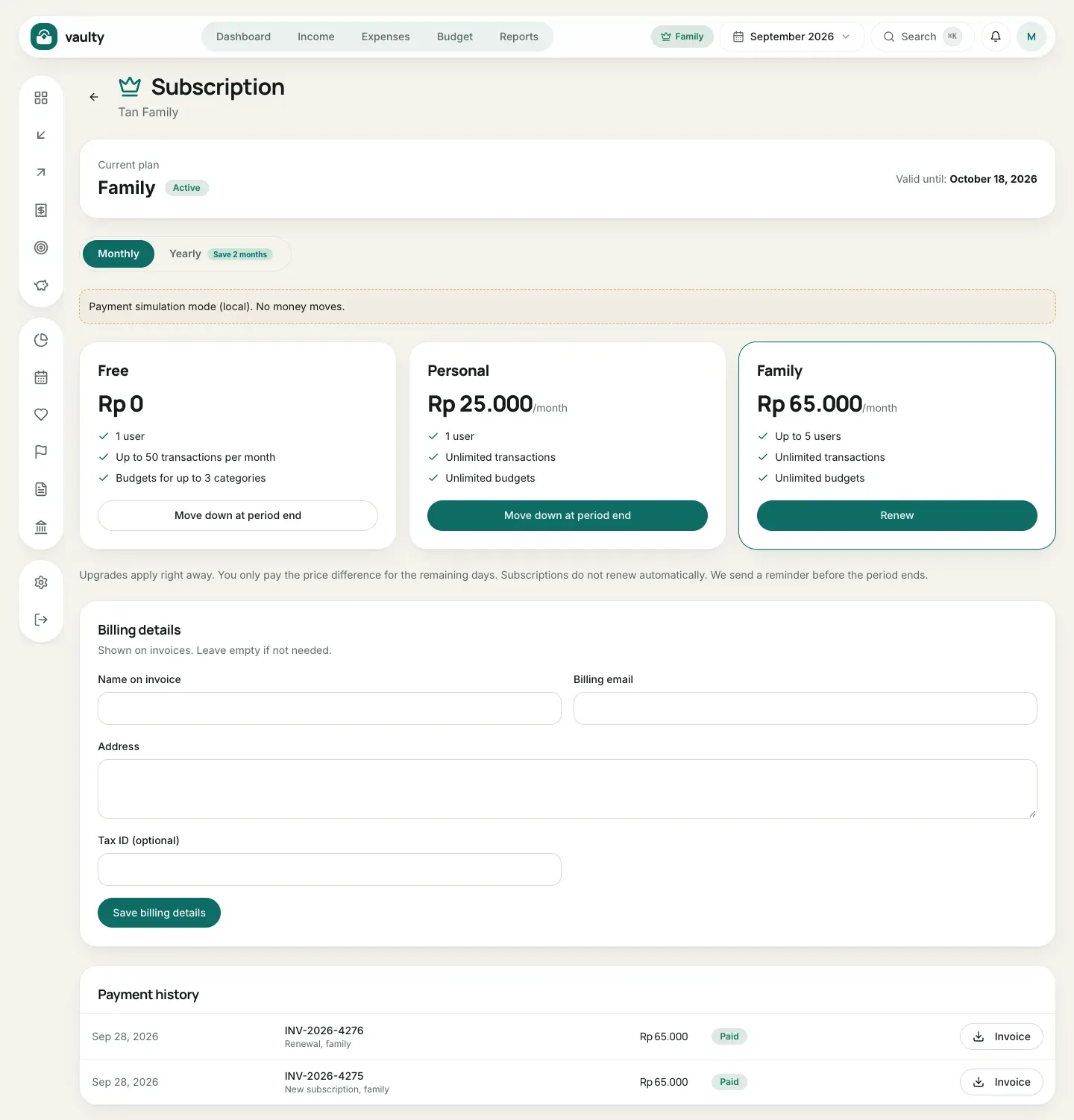
What is on the page
Section titled “What is on the page”- Current plan and its valid-until date (or the trial end).
- A Monthly or Yearly switch (yearly = 10 months, 2 months free).
- Three plan cards: Free, Personal, and Family, with buttons that fit your situation.
- Billing details for invoices.
- Payment history with a download Invoice button.
Paying or upgrading
Section titled “Paying or upgrading”- Choose Monthly or Yearly.
- Click Pay now (or Upgrade / Renew) on the plan you want.
- On the payment page, choose how to pay and complete it. See Payments and invoices.
Upgrades apply right away and you only pay the price difference for the rest of the period.
Downgrading
Section titled “Downgrading”Click the downgrade button on a lower plan. The change applies at the end of the current period, and you keep your current plan until then.
Billing details and invoices
Section titled “Billing details and invoices”Fill in Name on invoice, Billing email, Address, and Tax ID (optional), then Save billing details. They appear on later invoices. Download the PDF invoice with the Invoice button in Payment history.