Savings and goals
Two menus that work as a pair: Savings for recording money saved or invested, and Goals for what you want to reach. Both are on the Personal plan and above.
Recording savings
Section titled “Recording savings”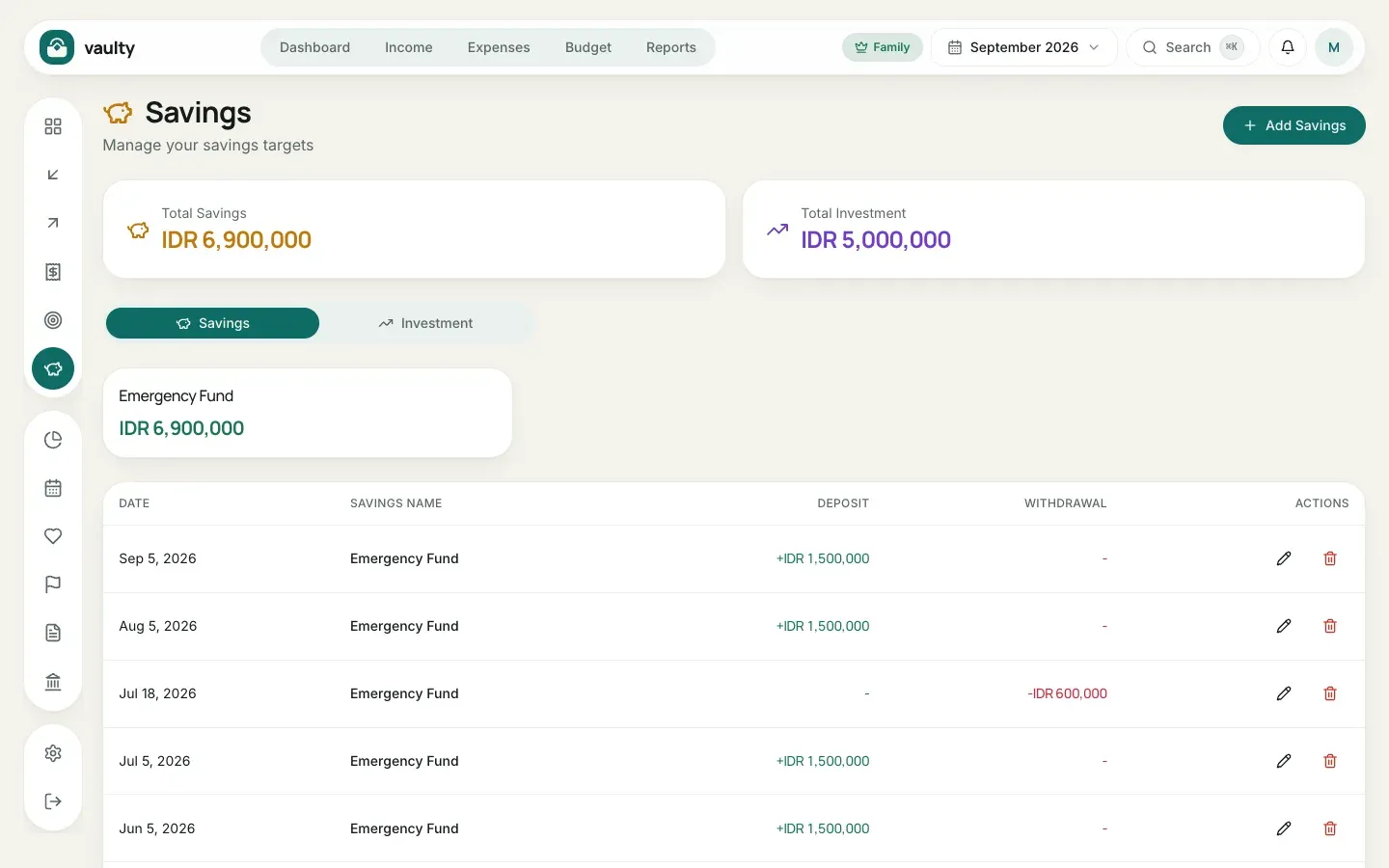
- Open Savings and click Add Savings.
- Choose the Date and Type (Savings or Investments).
- Enter the Savings Name, for example “Emergency Fund” or “Mutual Fund”.
- Enter a Deposit for money going in, or a Withdrawal for money taken out.
- Click Add.
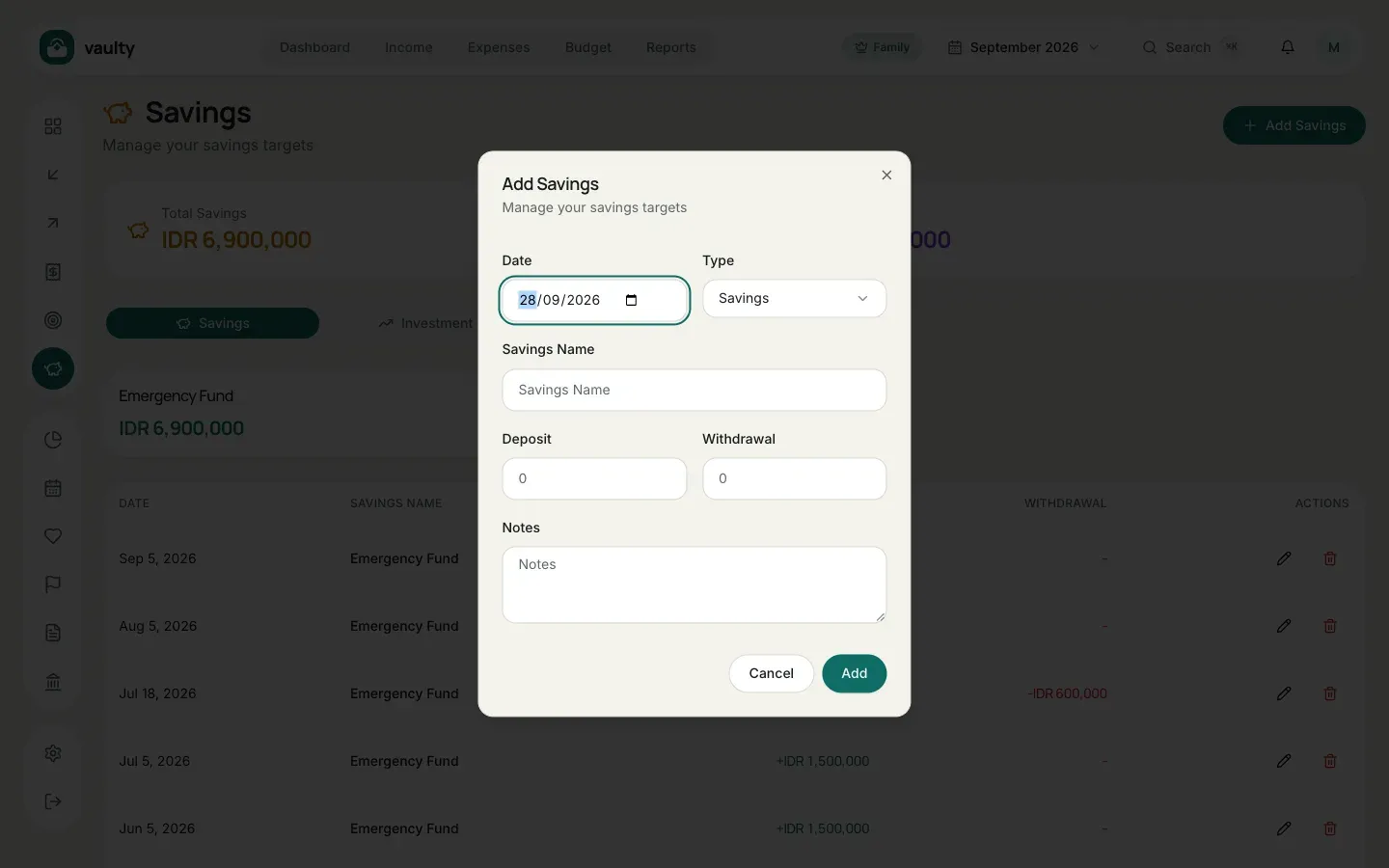
Each account’s balance is deposits minus withdrawals, shown on the cards above the list.
Creating a goal
Section titled “Creating a goal”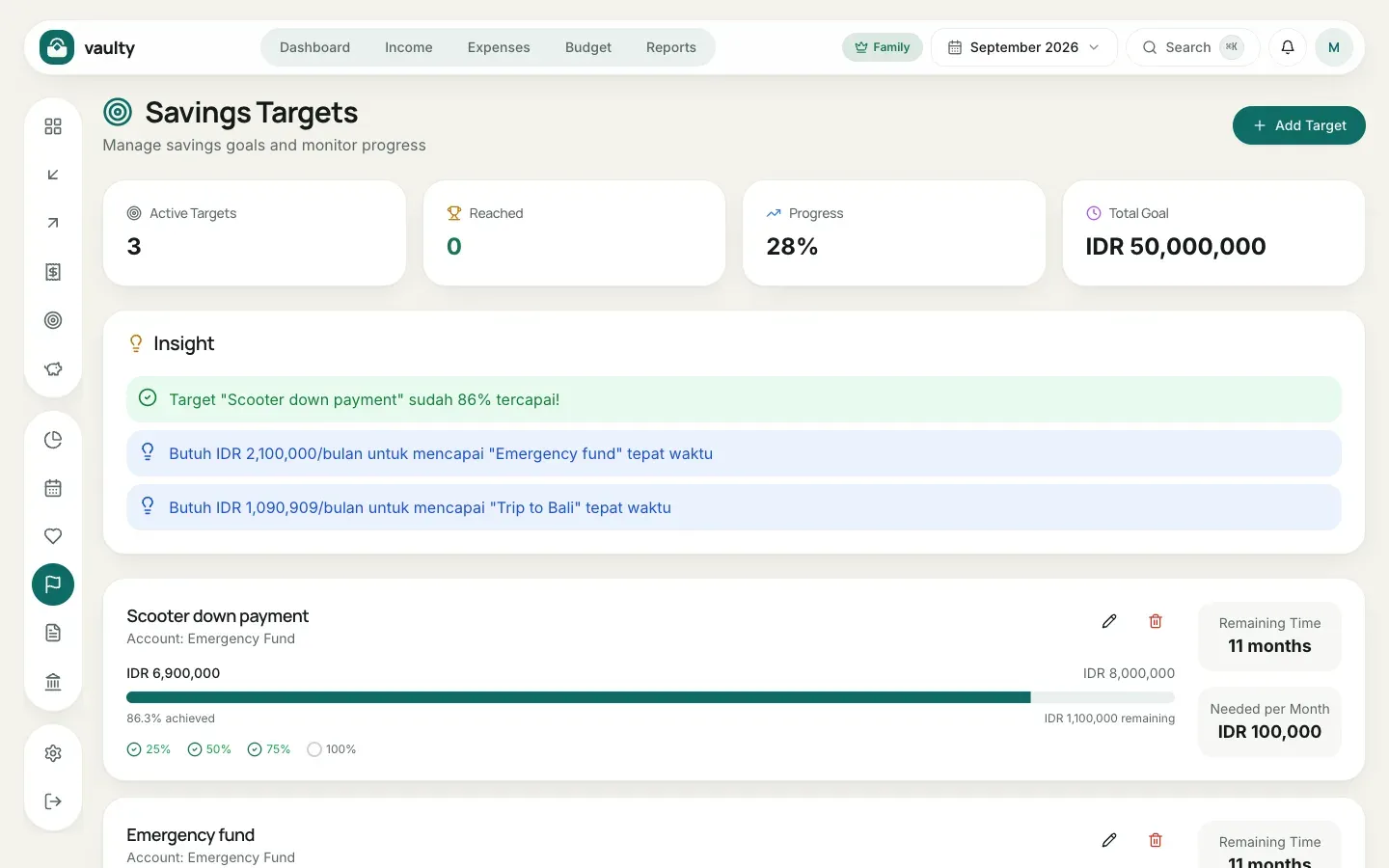
- Open Goals and click Add Target.
- Enter the Target Name (for example “Trip to Bali”) and the Target Amount.
- Choose the Connected Savings Account: that account’s balance counts as progress.
- Pick the Start Date and Target Date.
- Click Add.
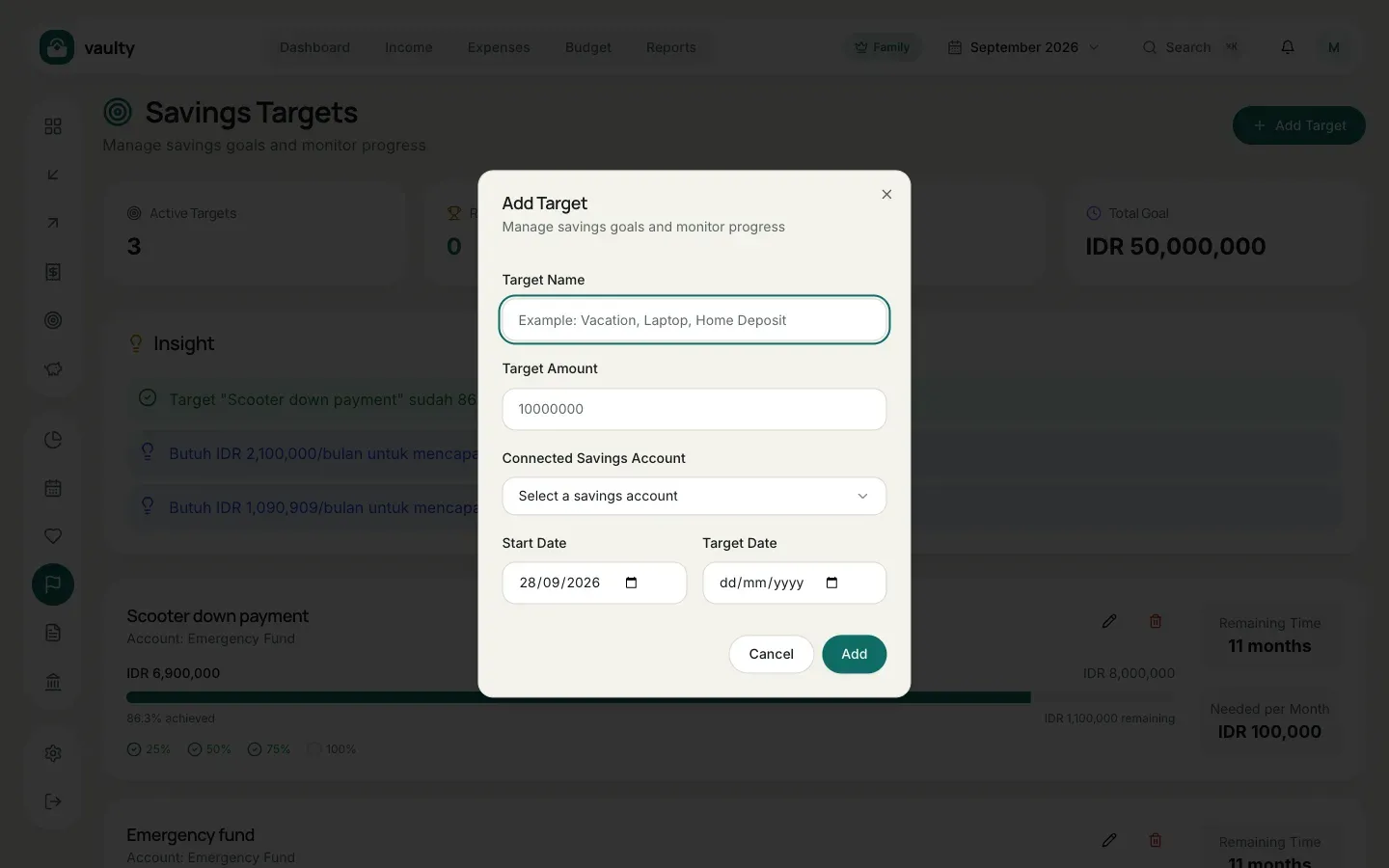
Each goal shows progress, Remaining Time, and Needed per Month: how much to save every month to arrive on time. The Insight section at the top tells you which goals are nearly done.