
Creating PDF and Excel reports
The Reports menu builds a document with a summary, tables, and a category breakdown. PDF and Excel export are on the Personal plan and above.
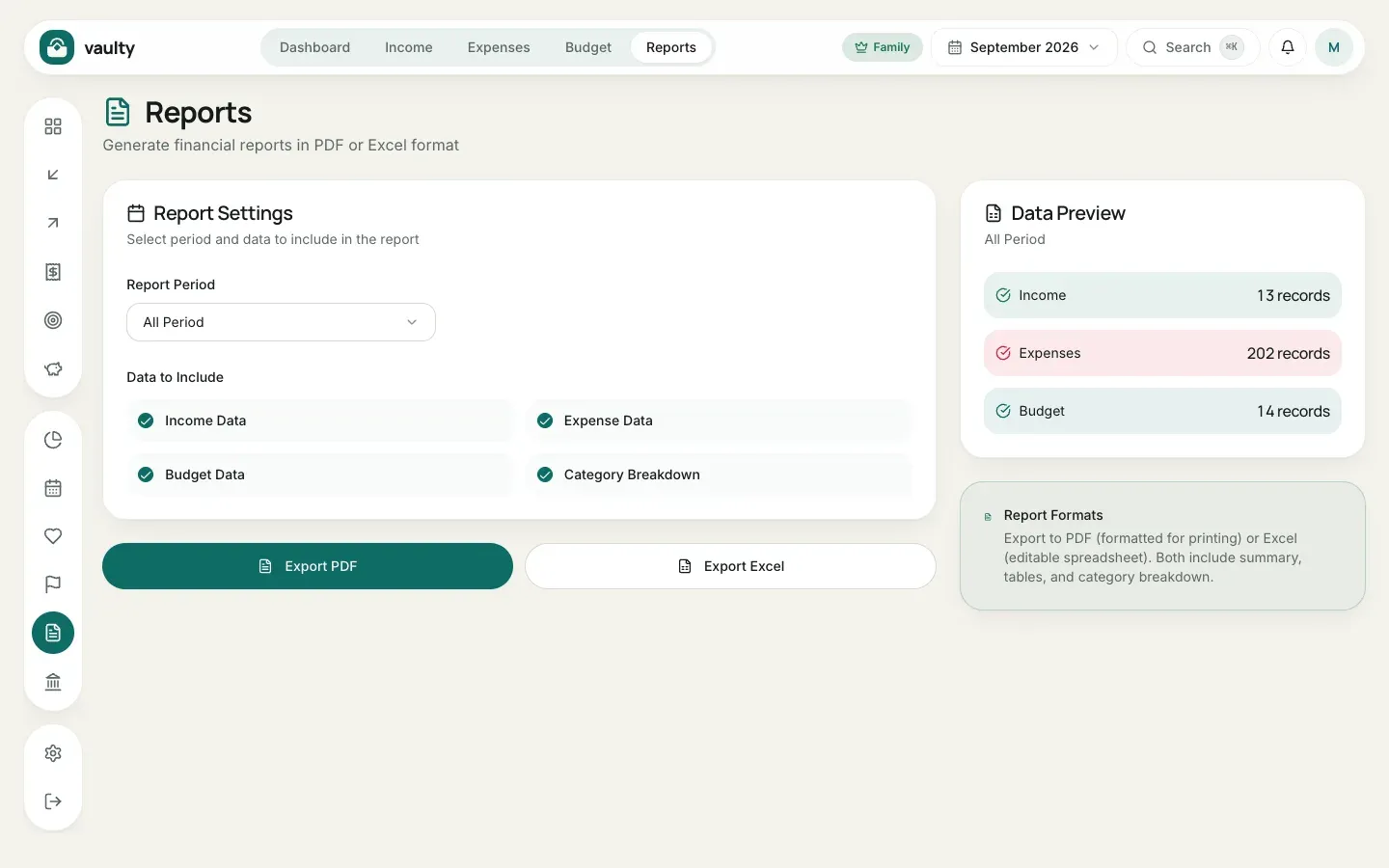
- Open Reports.
- Choose the Report Period: a specific month or All Periods.
- Under Data to Include, pick the parts you want: Income Data, Expense Data, Budget Data, and Category Breakdown.
- Check the Data Preview on the right to make sure the number of records looks right.
- Click Export PDF (print-ready) or Export Excel (editable).
The report language follows the language you use in the app: Indonesian or English, never mixed.
When to use it
Section titled “When to use it”- Monthly or yearly records.
- Reviewing together with a partner or family.
- Material for tax filings or loan applications.