
Recording income
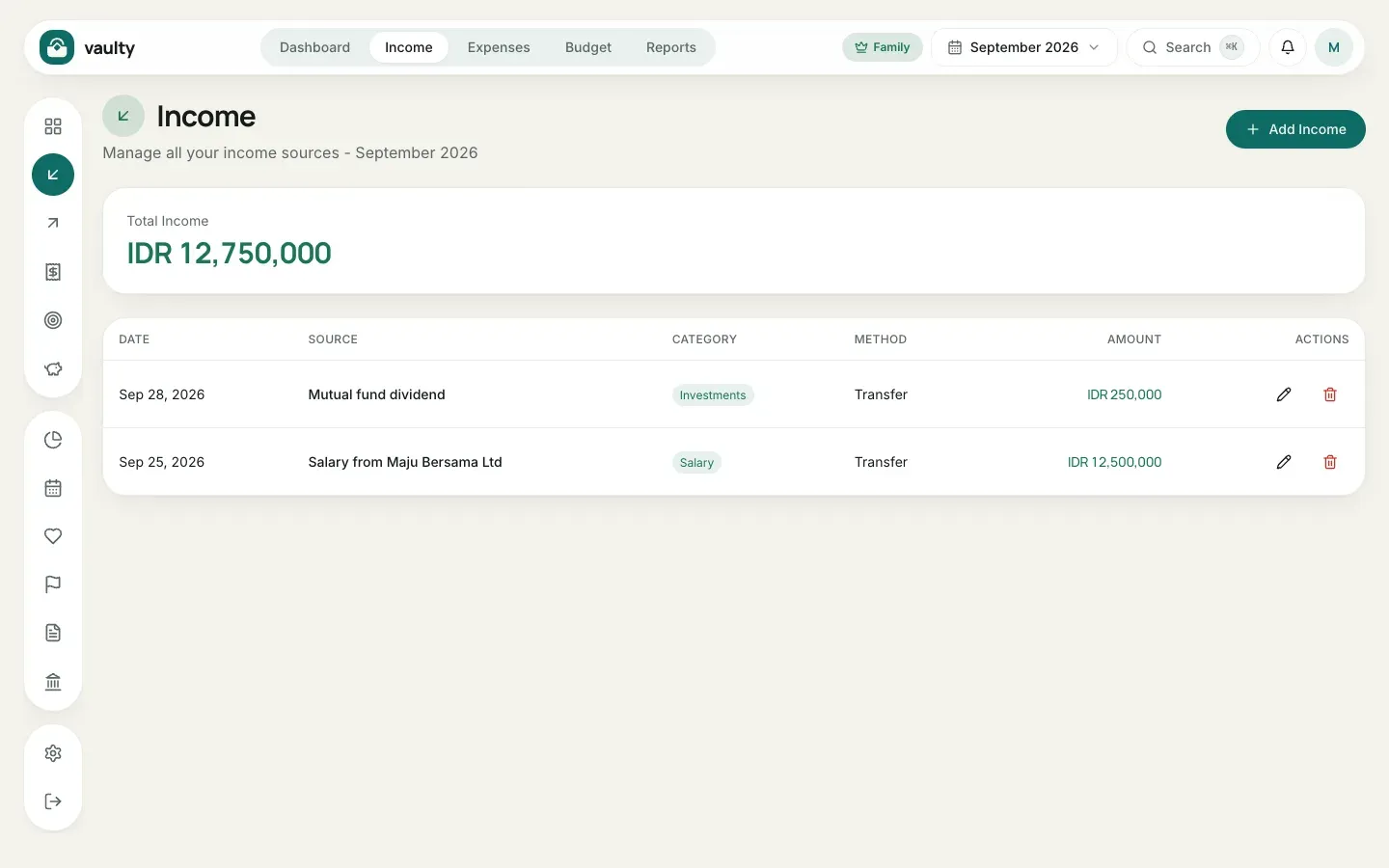
The Income menu holds all money coming in: salary, bonuses, freelance work, dividends, and more.
Adding income
Section titled “Adding income”- Open Income from the top menu or the icon on the left.
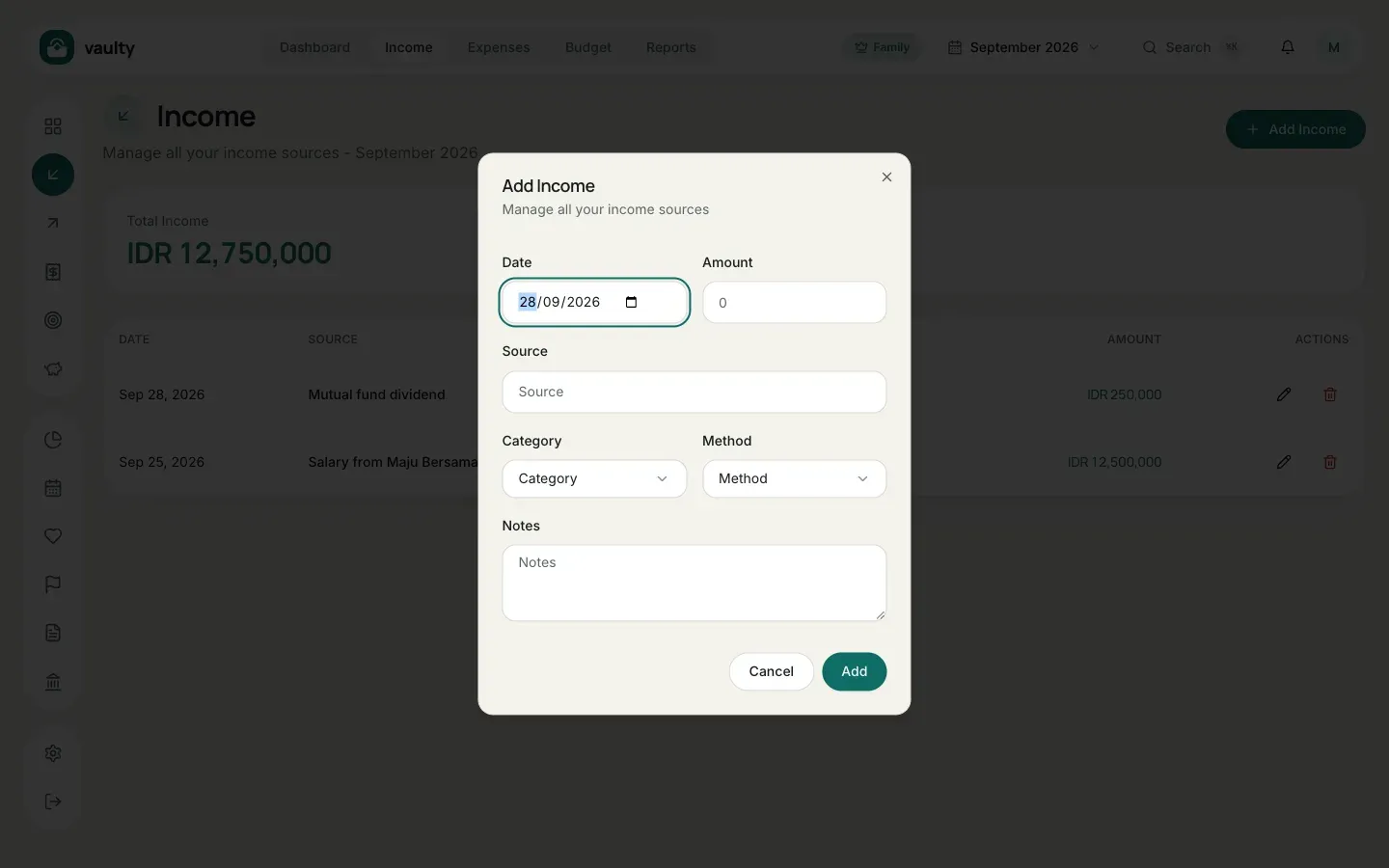
- Click Add Income.
- Fill in the form:
- Date the money was received,
- Amount in Rupiah,
- Source, for example “Salary from Maju Bersama Ltd”,
- Category and Method (choices come from Master data),
- Notes (optional).
- Click Add.
Editing or deleting
Section titled “Editing or deleting”In the Actions column of each row there is a pencil icon to edit and a trash icon to delete. Deleted items go to the organization’s trash so they can be restored.
- Record fixed income (salary) on its real date so the monthly cash flow is accurate.
- The Free plan is limited to 50 transactions per month (income and expenses combined).